
Turn Your Website into a Pre-Sales Engine with Interactive Calculators
Most visitors arrive on a software agency site with the same silent questions in mind: is this solution worth it, what would it roughly cost, and what kind of outcome could they expect. If your pages only offer generic service descriptions and a “contact us” button, many of those visitors simply bounce and continue their research elsewhere.
Interactive calculators change that dynamic. A small widget that lets a visitor adjust a few inputs and instantly see a result turns a static page into something closer to a product experience. Even when the numbers are approximate, they provide context: a likely budget range, a projected ROI or a recommended plan. That context builds trust and prepares the ground for a more serious conversation with your team.
Why Calculators Work So Well for Software and SaaS
Custom development is abstract by nature. You talk about automation, efficiency, cloud savings or faster onboarding, but these concepts are hard to compare without numbers. A calculator acts as a bridge between business language and technical capabilities. It helps a founder see how a limited MVP scope affects cost and timelines, a SaaS buyer see how pricing scales with user seats, or an operations manager see how many hours an internal tool might save over a year.
From your perspective, calculators also qualify leads. Someone who has taken the time to model their situation and then leaves contact details is usually further along than someone who simply filled in a generic form. You can start the first call with shared assumptions instead of spending half an hour getting to basic parameters.
The good news is that you do not have to build these tools from scratch. Several mature no-code platforms exist specifically to create calculators, forms and small interactive widgets. Below is a closer look at three of them, with an emphasis on how they fit into a software agency workflow.
Calculoid: Data-Rich Web Calculators with Payments and Integrations
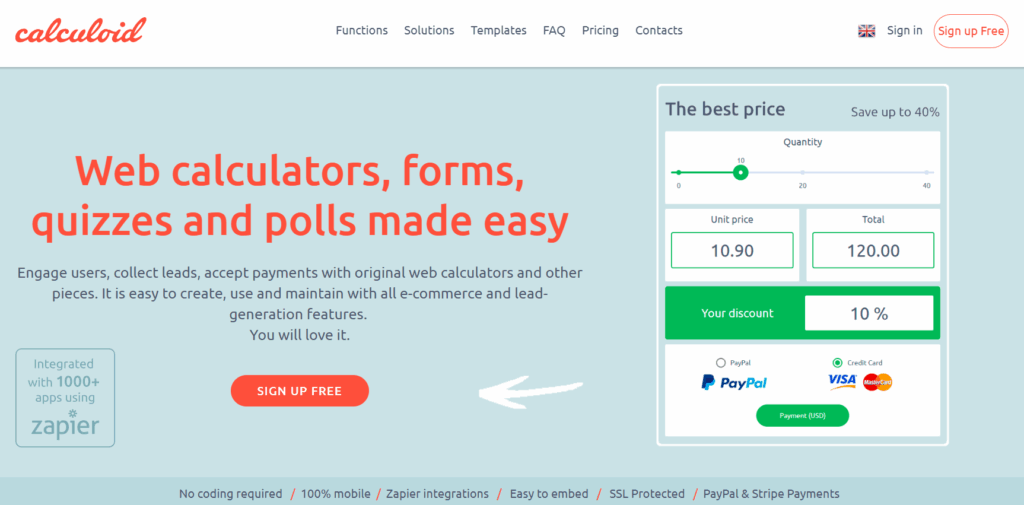
Calculoid is a web-based platform for building interactive calculators that can be embedded into almost any site. It combines a visual form builder with spreadsheet-style math, so you can create pricing estimators, ROI models or subscription simulators with fairly complex logic and no custom code. The service is geared toward lead generation and online payments, which makes it useful whenever your calculator is part of a commercial flow, not just a nice-to-have widget.
For agencies, Calculoid is particularly strong in data-rich, multi-step scenarios. You can split longer journeys into several screens, show or hide fields conditionally and present results as tables or charts rather than a single number. That works well for things like cloud cost comparisons or detailed infrastructure planners, where a client needs more than one metric to make a decision. Because Calculoid integrates with payment gateways and tools like Zapier, it can also push submitted data into CRMs or email platforms and take deposits or payments directly through the calculator, closing the loop from estimate to transaction with minimal glue code.
Embedding is handled via simple snippets or iframes, and calculators can be styled to match host branding. For an agency running multiple projects, this makes it practical to manage a library of calculators from one account and update formulas or pricing rules centrally without redeploying each client site.
uCalc: Calculators, Forms and Booking Flows in One Visual Builder

uCalc is a universal calculator and form builder built around a visual editor. You assemble a widget from fields such as sliders, number inputs, radio buttons and dropdowns, then connect them with formulas that define how the result is calculated. The same widget can both compute and collect information and, on higher tiers, also accept payments.
For a software agency, uCalc is especially attractive when the goal is to generate and qualify leads directly from an estimator. A typical pattern is to place an interactive project cost calculator on a services or pricing page. The visitor enters a few parameters – platform, approximate scope, desired timeframe – sees a starting budget range and then, in the same interface, is invited to share their name, email and a short project brief. One interaction gives them clarity and gives you a more informed inbound lead.
The platform offers ready-made templates for service cost calculators, booking and order forms, and donation widgets that you can adapt for different clients. Logic branching is available, so later questions can depend on earlier answers, which is helpful when you need to guide non-technical users through complex option trees without overwhelming them. Public documentation and reviews highlight additional features such as currency conversion, notifications and analytics integrations, so calculators can behave more like small apps than static forms when required.
From an integration standpoint, uCalc calculators are embedded via a short script that works with common CMSs and custom front ends. Because the widgets are hosted by uCalc, marketers and content editors can log into the dashboard to adjust text, labels or price ranges without developer involvement. For clients not yet ready for a custom portal, uCalc can also serve as a lightweight booking or onboarding tool, combining price display, date and contact capture and a simple payment step in a single embedded element.
CALCONIC: Fast, Focused Marketing Calculators with Templates
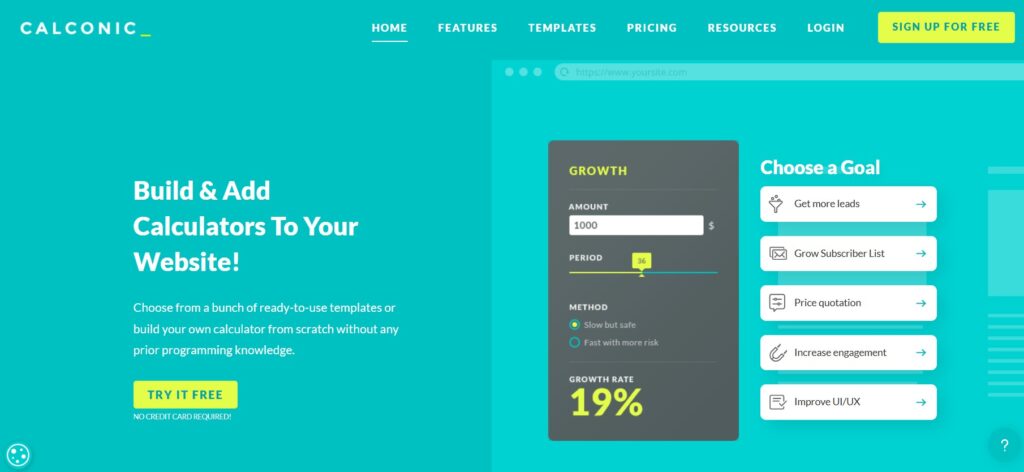
CALCONIC is a no-code calculator builder that leans into marketing use cases. It provides a library of templates and a drag-and-drop editor, so you can start from patterns like loan calculators, quote generators or product price estimators and adapt them, or build your own from a blank canvas. Its core feature set includes formula editing, basic conditional visibility and multi-step flows, but the overall experience is intentionally streamlined to keep non-technical users comfortable.
For agencies, CALCONIC shines when speed matters more than depth. If you are launching a new landing page for a campaign and want a simple “what will this cost” or savings teaser online within a day, a template can be returned with new wording and ranges much faster than a bespoke implementation. The default designs are clean, responsive and easy to drop into most layouts, which reduces the need for detailed front-end work. Users frequently note that calculators integrate smoothly into WordPress, hosted builders and custom sites through dedicated plugins or generic embed options.
In practice, CALCONIC often becomes the tool of choice for small, focused calculators: a basic plan selector for a SaaS client, a profitability or savings widget on a niche campaign page, or a localized cost estimator for a regional microsite. More complex or mission-critical flows can then be implemented with other services or custom code, while CALCONIC remains the quick, dependable option for straightforward marketing calculators your content team can own.
A Short, Practical Closing
Interactive calculators may look like small add-ons, but they significantly change how prospects experience your site. They transform generic service descriptions into tailored, numeric stories, help visitors understand trade-offs before they speak with you and provide your team with better-qualified leads.
With platforms like Calculoid, uCalc and CALCONIC, you can introduce this kind of interactivity without diverting development resources from core product work. Choose the tool whose strengths align with the specific job – data-rich multi-step models, lead-driven estimators with payments, or quick marketing calculators – embed a first widget on a high-intent page, and let user behaviour and lead quality guide your next iteration.